Connect your platforms
Tell us which delivery platforms your venue uses during your free demo. We configure the integration so orders flow into your POS automatically.
For UK restaurants, takeaways & cafés
Bring orders from Uber Eats, Deliveroo and Just Eat into your OrderZone POS workflow with the optional delivery integration.
Book a free demo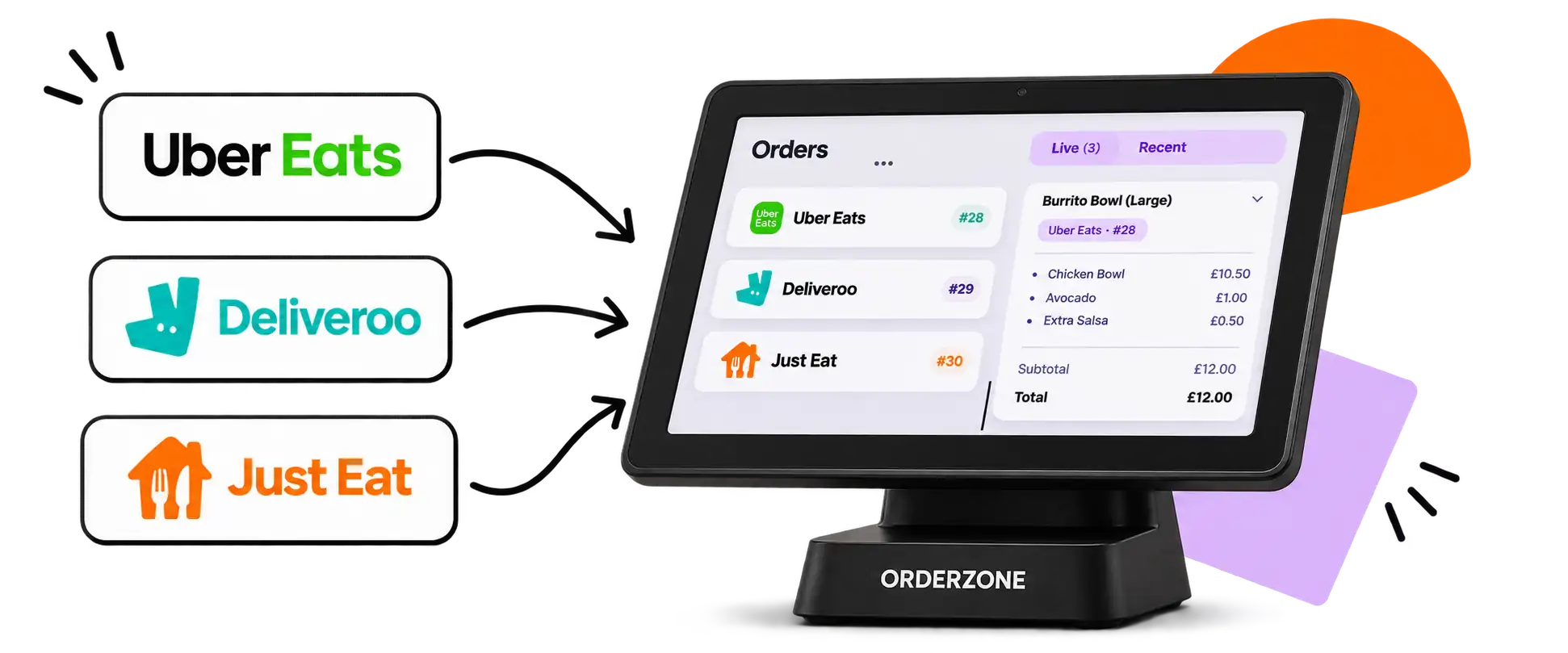
Stop juggling separate tablets for each delivery app. OrderZone brings incoming orders from Uber Eats, Deliveroo and Just Eat into the same POS your staff use for counter and collection orders, so your kitchen team works from one screen.
Tell us which delivery platforms your venue uses during your free demo. We configure the integration so orders flow into your POS automatically.
Your team sees delivery orders alongside counter and Click & Collect orders. No more missed tickets or switching between tablets during a rush.
When a Friday evening surge hits, every order is visible in the same queue. Your kitchen can prioritise and your front-of-house team stays informed.
The integration connects your delivery platform accounts to OrderZone POS. When a customer places an order on Uber Eats, Deliveroo or Just Eat, it appears in your POS within moments.
Configure auto-accept rules or review each incoming delivery order manually before confirming. Either way, the order is visible in your POS queue.
Set realistic preparation times for delivery orders so your kitchen is not overwhelmed and drivers are not waiting longer than necessary.
See the customer name, items, special instructions and delivery platform for each order without switching apps or checking a separate tablet.
Uber Eats, Deliveroo and Just Eat continue to charge their own commissions and fees on every order placed through their platforms. OrderZone does not add any commission on top. The integration fee is part of your OrderZone software subscription and is confirmed in your quote.
Delivery integration is an optional add-on for OrderZone POS. It is not included in the Essentials plan. Ask during your demo which package suits your venue.
Yes. If you only use Uber Eats, for example, we configure the integration for that platform alone. You can add more platforms later.
Orders appear in your OrderZone POS, but some platforms still require their own device for certain driver or operational functions. We explain what to expect during setup.
The integration is designed to handle busy service periods. Orders arrive in your queue without affecting the speed of your counter operations.
If a platform experiences an outage, orders from that platform will not appear until service resumes. Your counter and Click & Collect orders continue as normal.
You can adjust preparation times or temporarily pause incoming orders from specific platforms if your kitchen needs breathing room.
Book a free demo and we will show you how delivery orders appear alongside your counter workflow.
Book a free demo